We use GeoDirectory V2.0 to help organize client websites that require large lists of information. Although the plugin requires heavy modification to be customized, the structure of the solution works well. https://wpgeodirectory.com https://wpgeodirectory.com/docs-v2/
The Event Calendar Pro is a highly versatile calendar plugin. It’s very widely used and can be adapted to many use cases. We have used this plugin for selling tickets and registering for events. Common Support Links: https://www.wpfangirl.com/tag/events-calendar-pro/ https://support.theeventscalendar.com/661243-Add-thumbnails-to-upcoming-events-List-Widget https://support.theeventscalendar.com/934573-Inserting-Calendar-Content-into-Posts-or-Pages https://support.theeventscalendar.com/880095-Changing-meta-field-labels https://support.theeventscalendar.com/273956-Events-Calendar-PRO-Widget-Shortcodes-Overview#mini-cal-shortcode
Gravity Forms is a highly customizable form plugin that we use on each of our websites. The conditional logic feature allows each question to only show additional questions relevant to the customer and answers they have already provided. The solution easily connects to many external sources such as Zapier, Active Campaign and many more. …
Looking for a website host that provides 24/7 chat support and an amazingly fast server? If your not looking for a technical dashboard, Kinsta has very simple (yet powerful) user interface. https://my.kinsta.com/login
Looking for a cost-effective solution for hosting? Siteground is an amazing host provider with quick support and cost-effective speed. https://ua.siteground.com/login_office.htm
Need a way to manage all your passwords? Lastpass is a convenient password manager designed around data privacy. With seamless background sync, offline access, and an app for almost every device — you always have access to your passwords when, and where you need them.” https://www.lastpass.com/hp
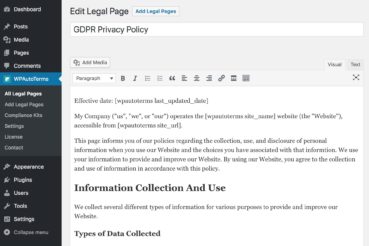
Looking for an easy way to add a privacy policy to your website? WP AutoTerms creates pages and adds your information to a predefined privacy policy after asking you some simple questions about your business. https://www.wpautoterms.com/
Logging into WordPressTo log in – type in the URL of your site followed by /wp-admin Example: immortagen.com/wp-admin On this page, you will then enter your username and password provided by Running Robots.Adding new users to WordPressAfter logging in, you will see a tab in the left dashboard labeled “Users” which you will click. At…